Power BI Reporting for Associations
Turn membership, renewal, event, finance, and engagement data into clearer dashboards built around the questions your teams, leadership, and board need to answer.
Make association reporting easier to use
Association data often sits across an AMS, finance tools, event systems, spreadsheets, and other operational sources. The challenge is not simply building another dashboard. It is creating a reporting model that brings the right information together, uses consistent definitions, and gives each team a view it can actually use.
Adovent helps associations plan, build, improve, and support Power BI reporting around practical membership and operational questions.
What Power BI reporting can help you see
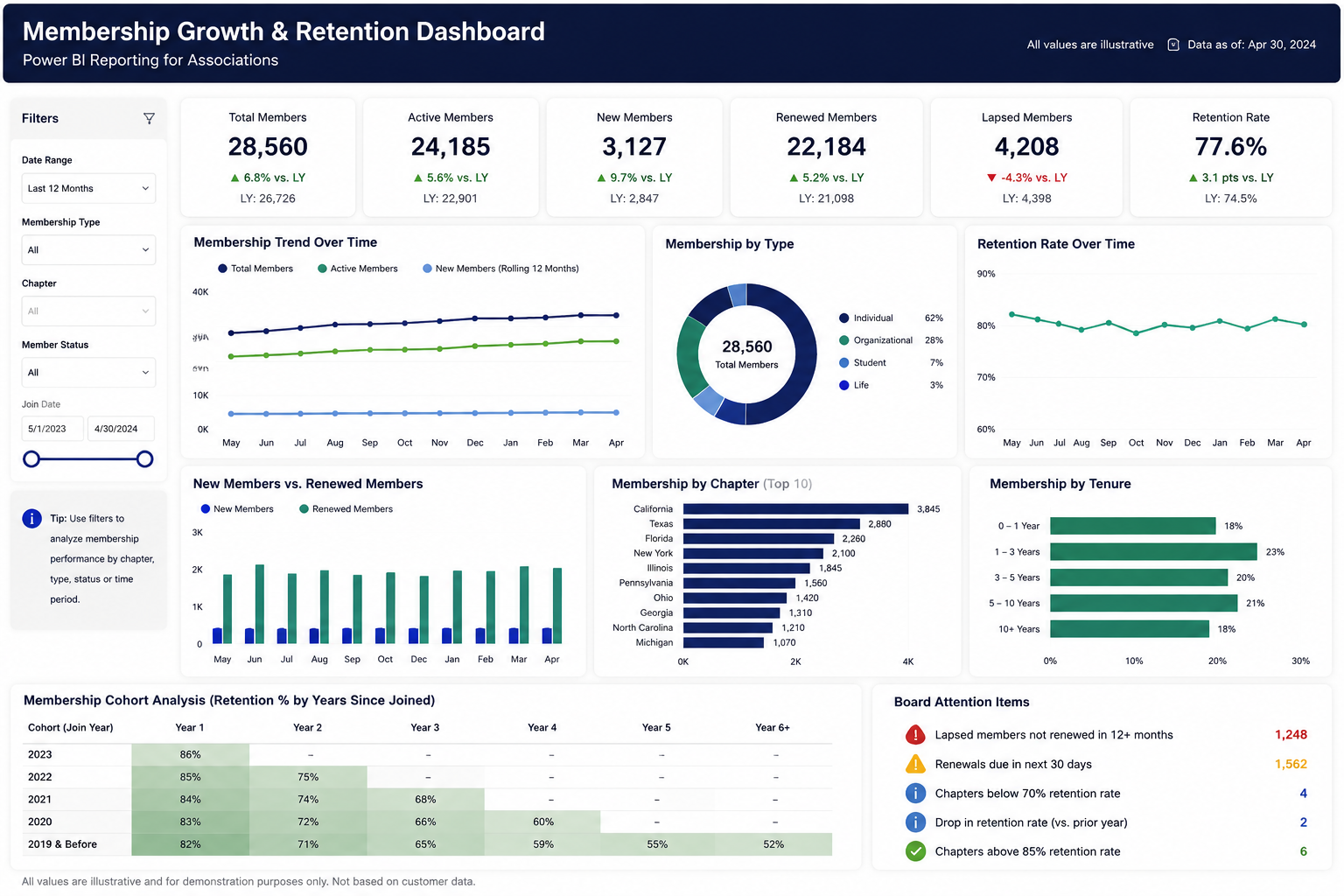
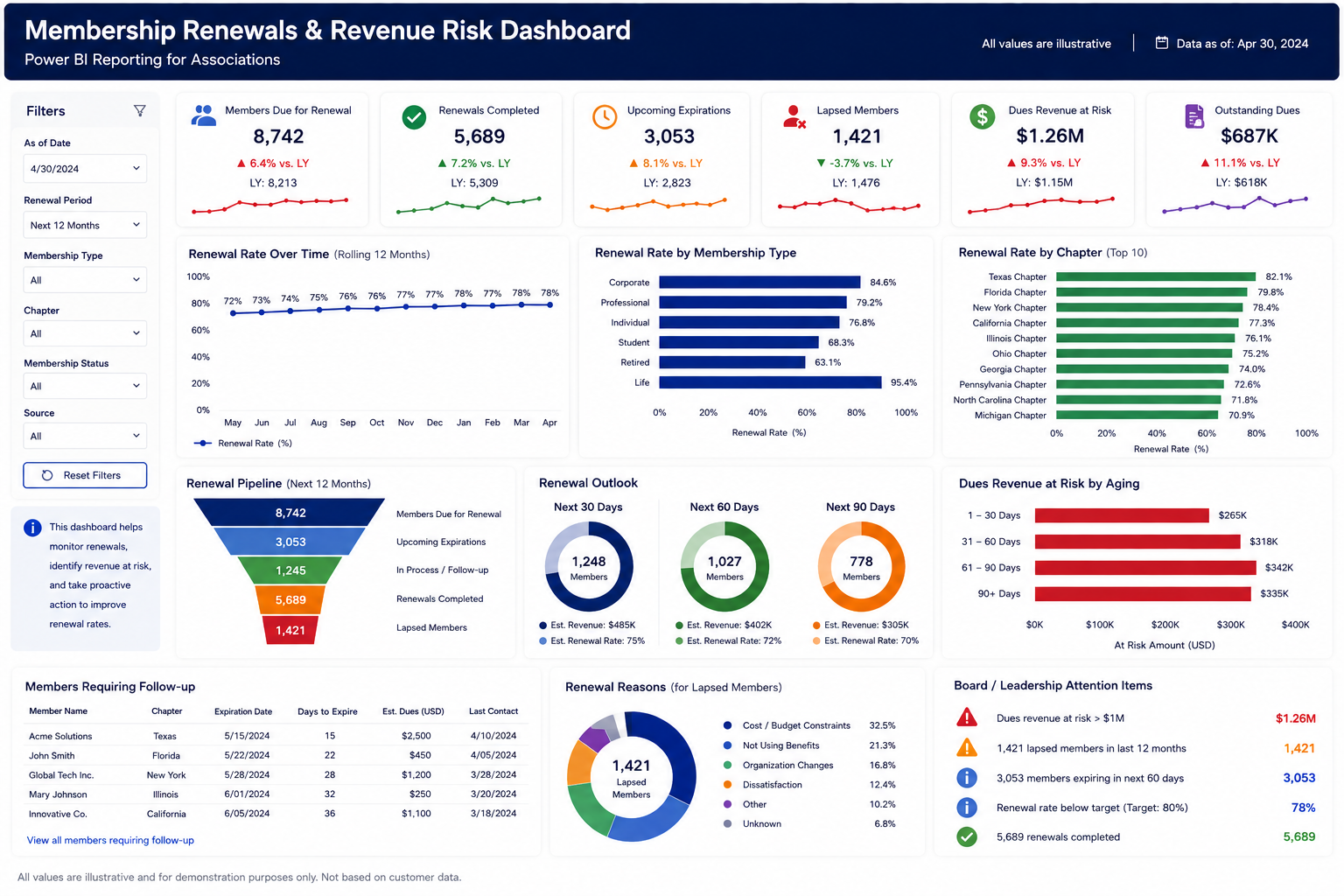
- Membership and renewal reporting: new members, renewals, lapses, dues status, segments, and membership trends.
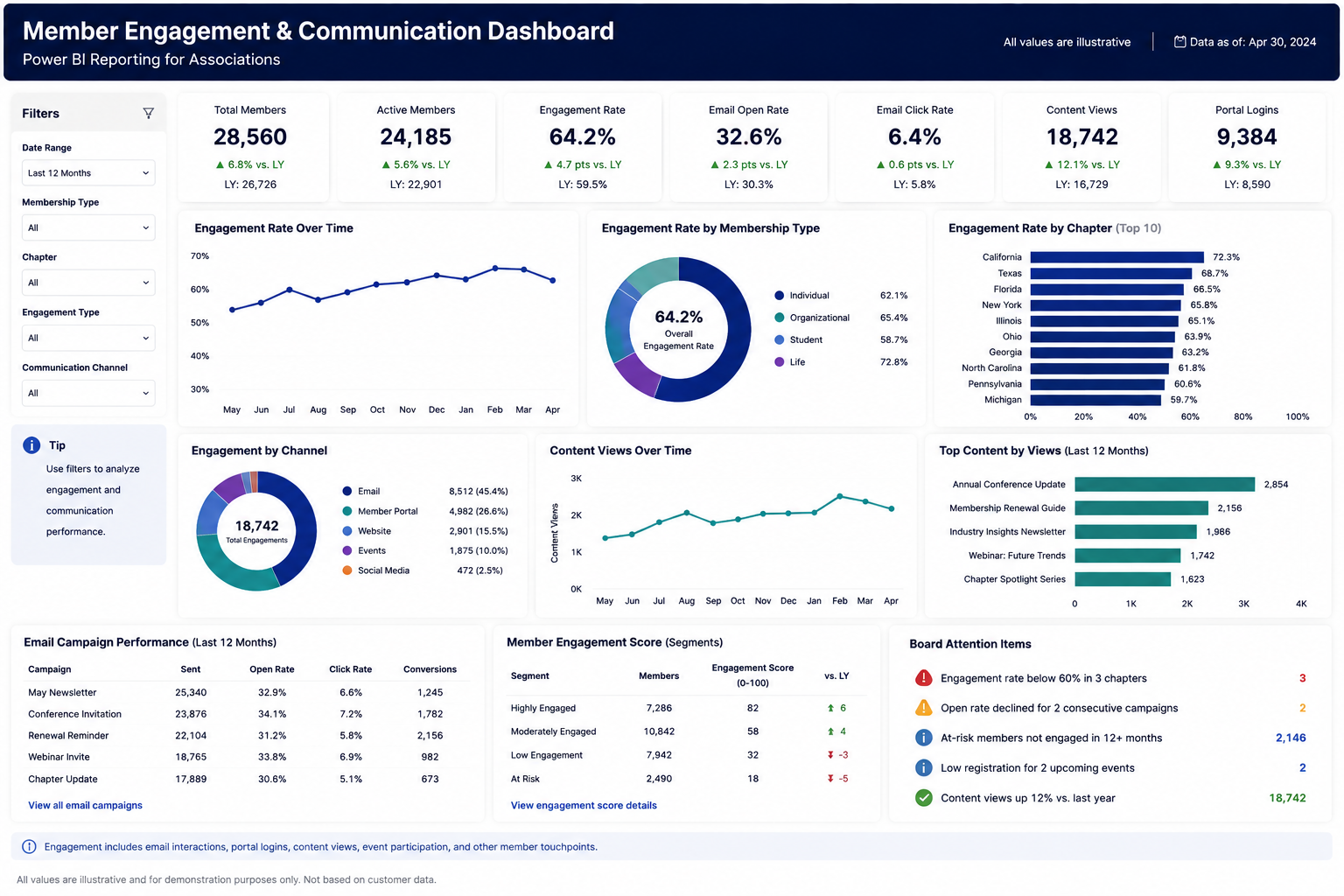
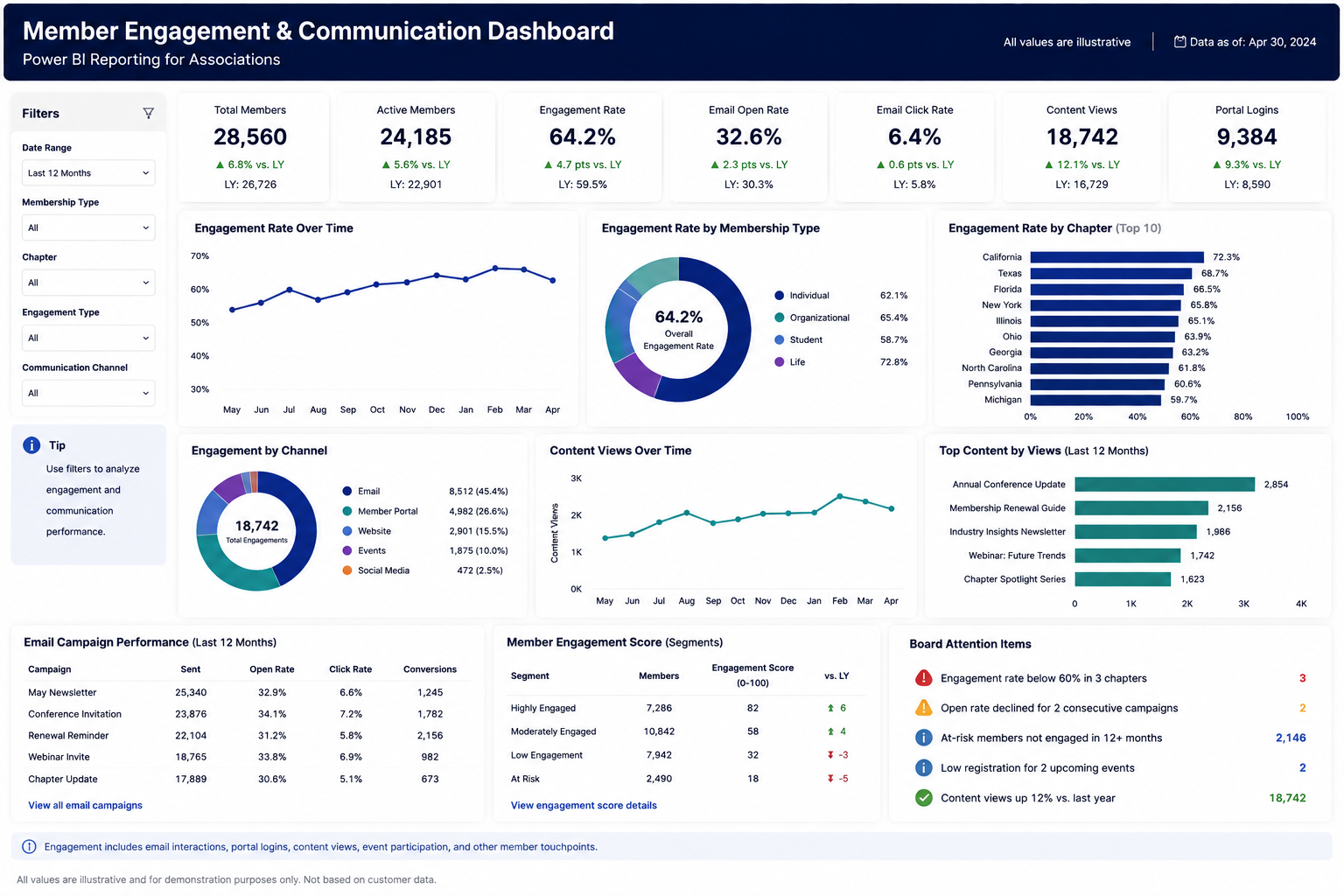
- Member engagement reporting: event participation, education activity, chapters, committees, communications, and other approved engagement measures.
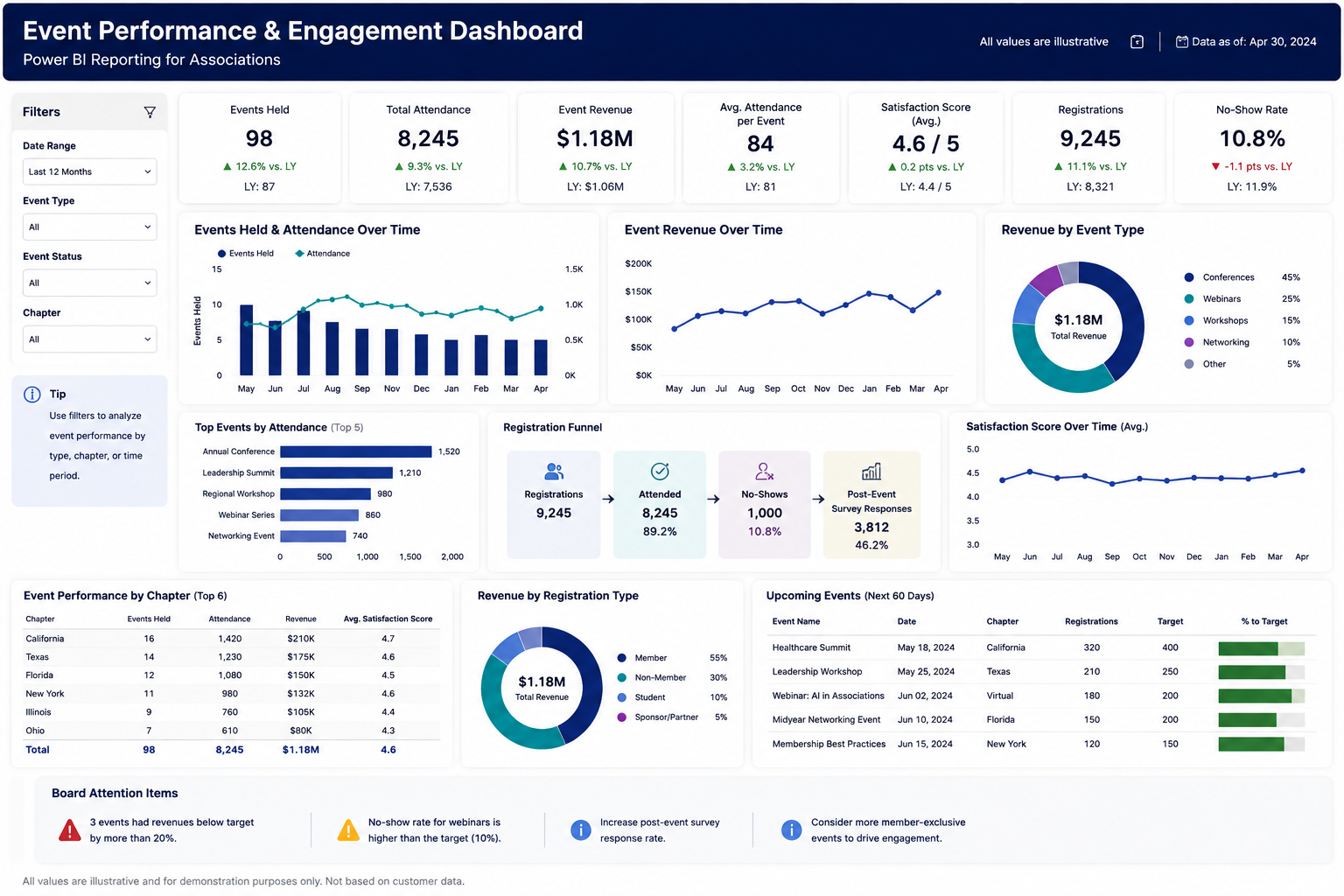
- Events and education reporting: registrations, attendance, participation, revenue, and education activity.
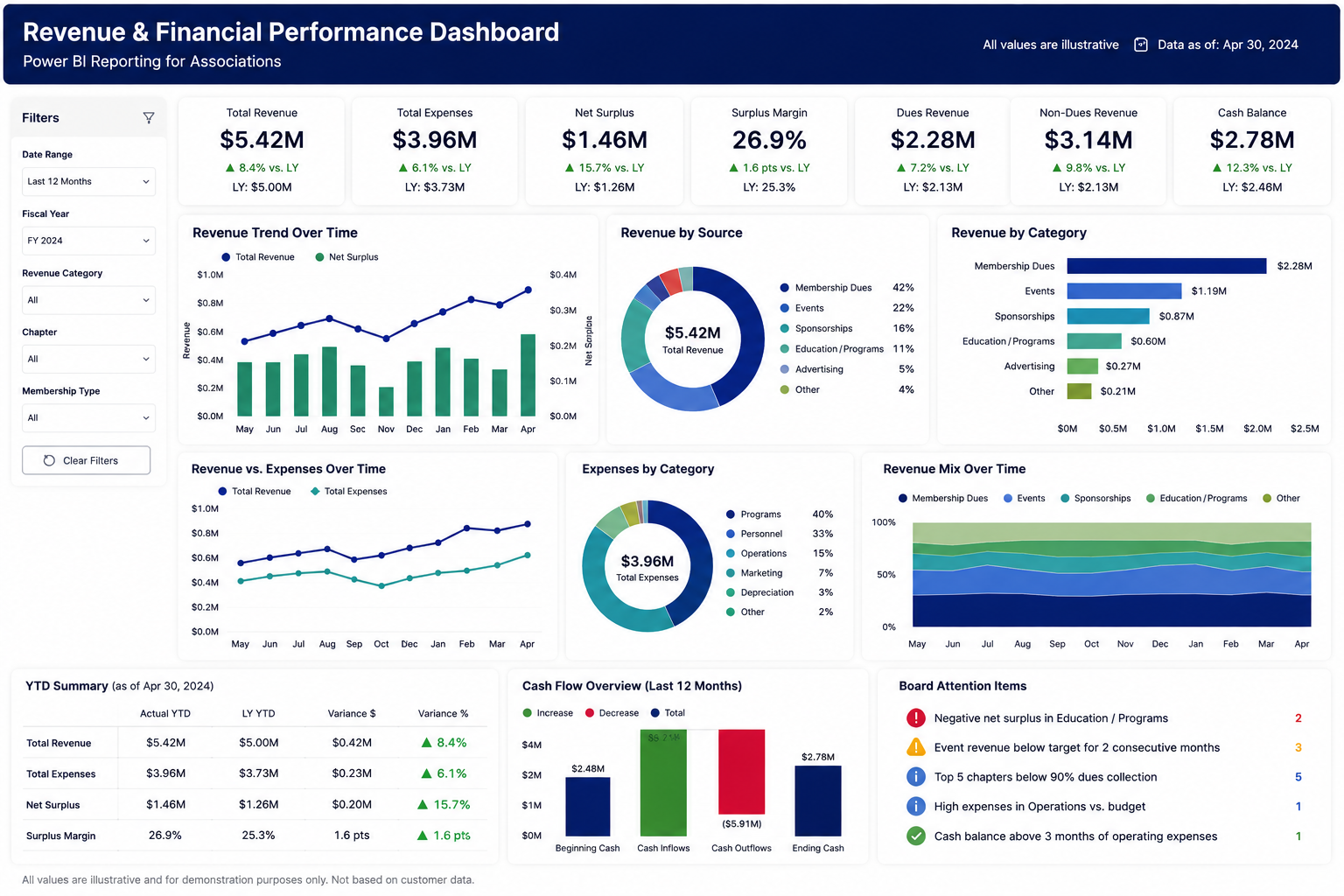
- Finance and revenue reporting: membership revenue, event revenue, outstanding payments, budget visibility, and other approved financial measures.
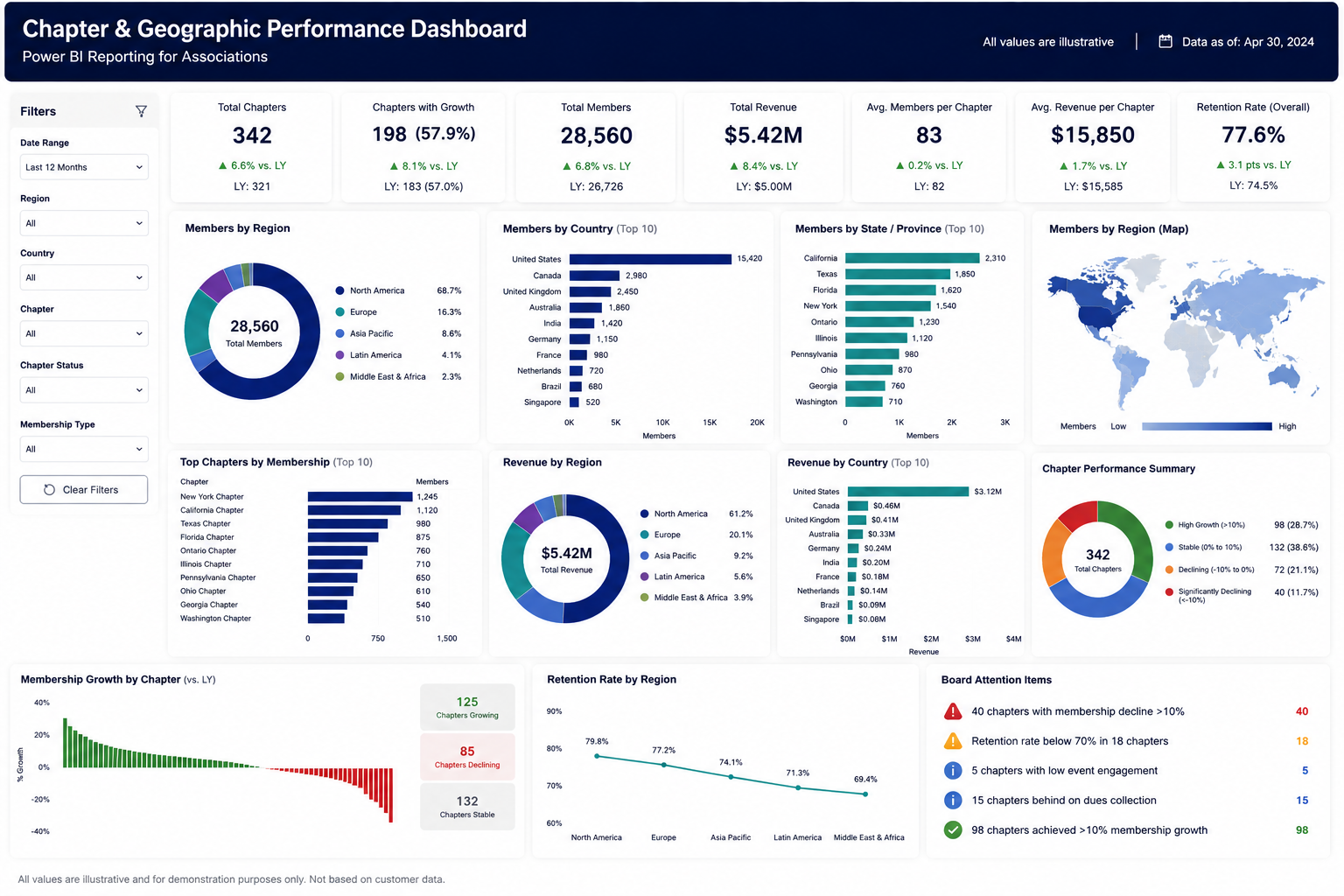
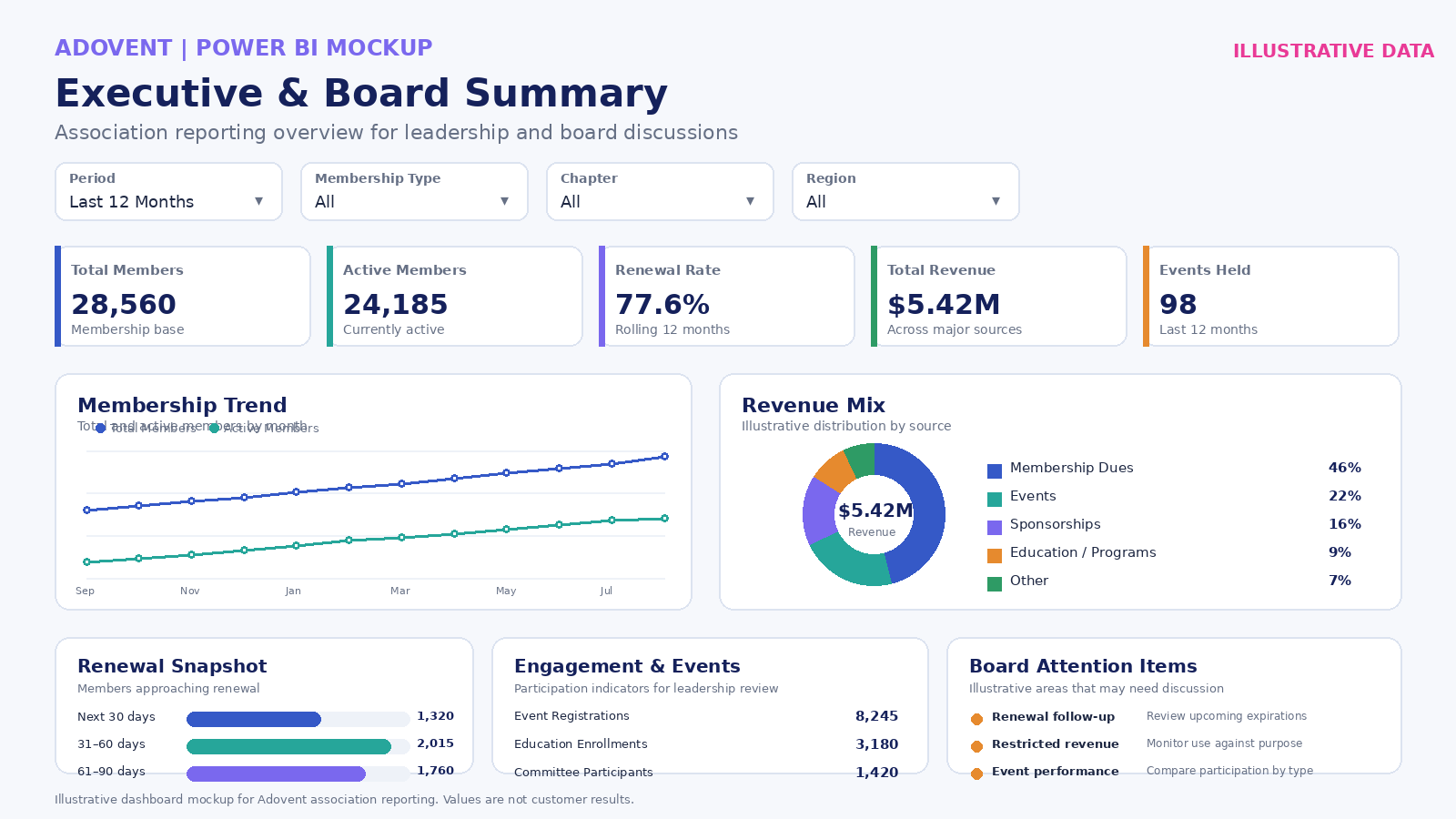
- Leadership and board reporting: a concise view of membership health, engagement, revenue, operational priorities, and areas requiring attention.
Reporting starts with the data underneath
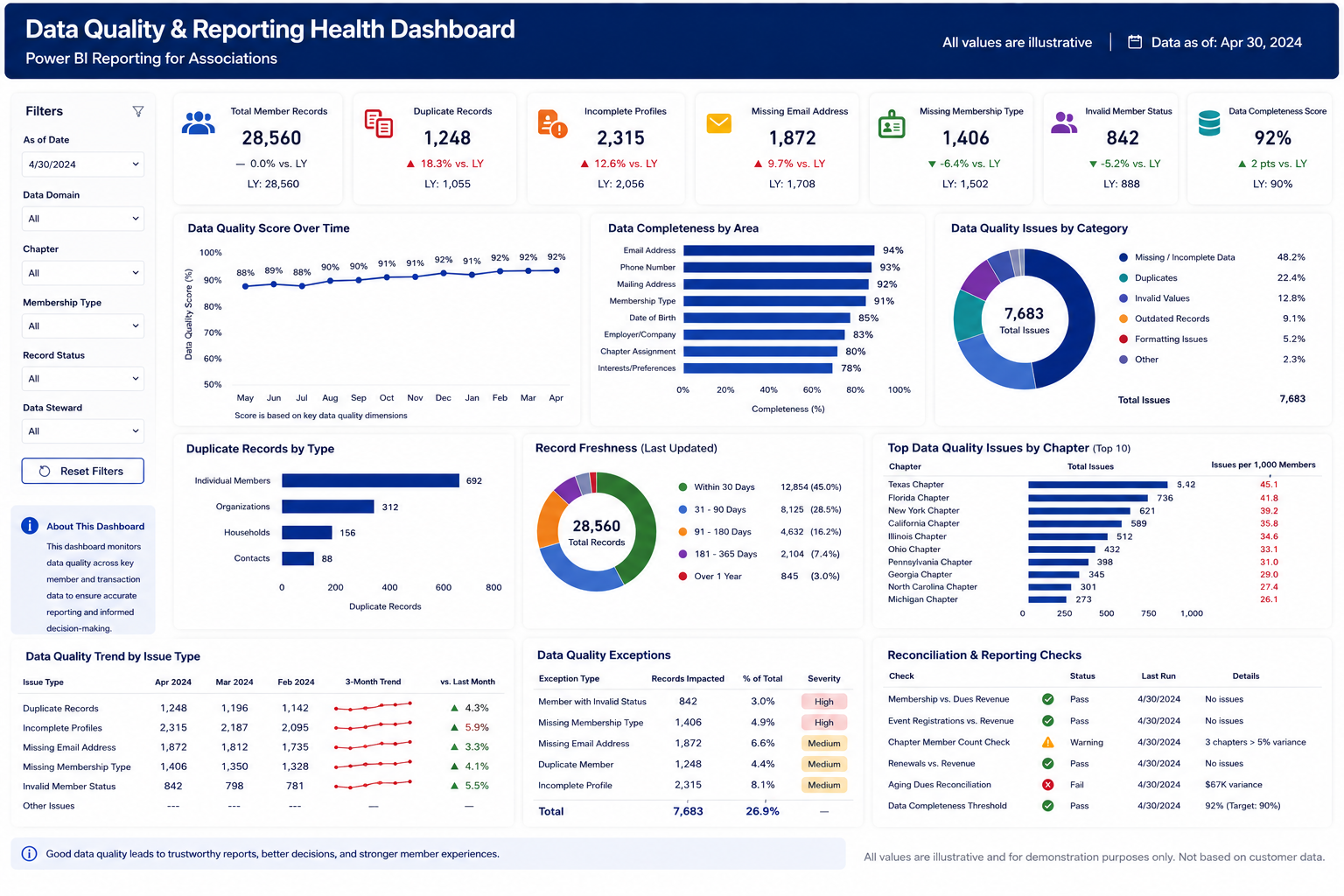
Power BI can make information easier to explore, but the report is only useful when the source data and definitions are clear. Before building or redesigning dashboards, we help review where the data comes from, which source should be treated as authoritative, how important measures are defined, who owns them, and what decisions the report should support. This helps create a stronger reporting foundation before visual design begins.
One reporting foundation, different views
Not every team needs the same dashboard. Leadership may need a high-level summary. Membership teams may need renewal detail. Finance may need revenue and payment views. Event teams may need registration and attendance information. A role-based Power BI model gives each audience the appropriate level of detail while keeping definitions consistent across the organization.
Already using Power BI?
Adovent can also help improve an existing reporting environment. This may include reviewing source data, clarifying measures, simplifying crowded dashboards, improving role-based views, validating logic, and providing ongoing support as reporting needs change.
Using Protech AMS or another association management system?
Where the required data is available and accessible, Adovent can help structure Power BI reporting around membership and operational data from your AMS and other approved sources. Protech-specific reporting searches should land on this page rather than the Protech implementation or managed-services page.
FAQ
What is Power BI for associations?
Power BI for associations is a reporting approach that brings relevant membership, renewal, event, finance, engagement, and operational data into interactive reports and dashboards designed around association decision-making.
Can Power BI support association membership reporting?
Yes. Power BI can be used to build association membership reporting around member counts, segments, join and renewal activity, dues status, and other approved membership measures when the required data is available.
Can you build membership and renewal dashboards in Power BI?
Yes. Adovent can help design membership and renewal dashboards that give teams clearer visibility into new members, renewals, lapses, segments, and related operational measures.
Can Adovent help with association board reporting in Power BI?
Yes. Board and executive reporting can be designed as a concise summary with supporting detail available in separate report pages for membership, finance, engagement, events, and other agreed areas.
Can Adovent help with Protech Power BI reporting?
Adovent can help with Power BI reporting around Protech data where the required data, access, and technical setup support the reporting scope. This does not imply an official Protech partnership or endorsement.
Can Power BI connect with our AMS and finance data?
Potentially. The right approach depends on the systems involved, available connectors or data access, data architecture, and the reporting requirements. These are reviewed before the reporting model is built.
Can you improve existing association Power BI dashboards?
Yes. Existing dashboards can be reviewed for data logic, usability, structure, definitions, maintainability, and whether they answer the questions users actually need to answer.
Do you provide ongoing Power BI support for associations?
Yes. Power BI improvement and support can continue as part of an ongoing support engagement, including report changes, data-quality review, logic updates, and new role-based views as needs evolve.
Let's Connect
Ready to stop making do with messy systems?
Start with a free assessment of your current state, your gaps, and a clear roadmap to a Microsoft-powered operating model that your team can actually trust and run.