
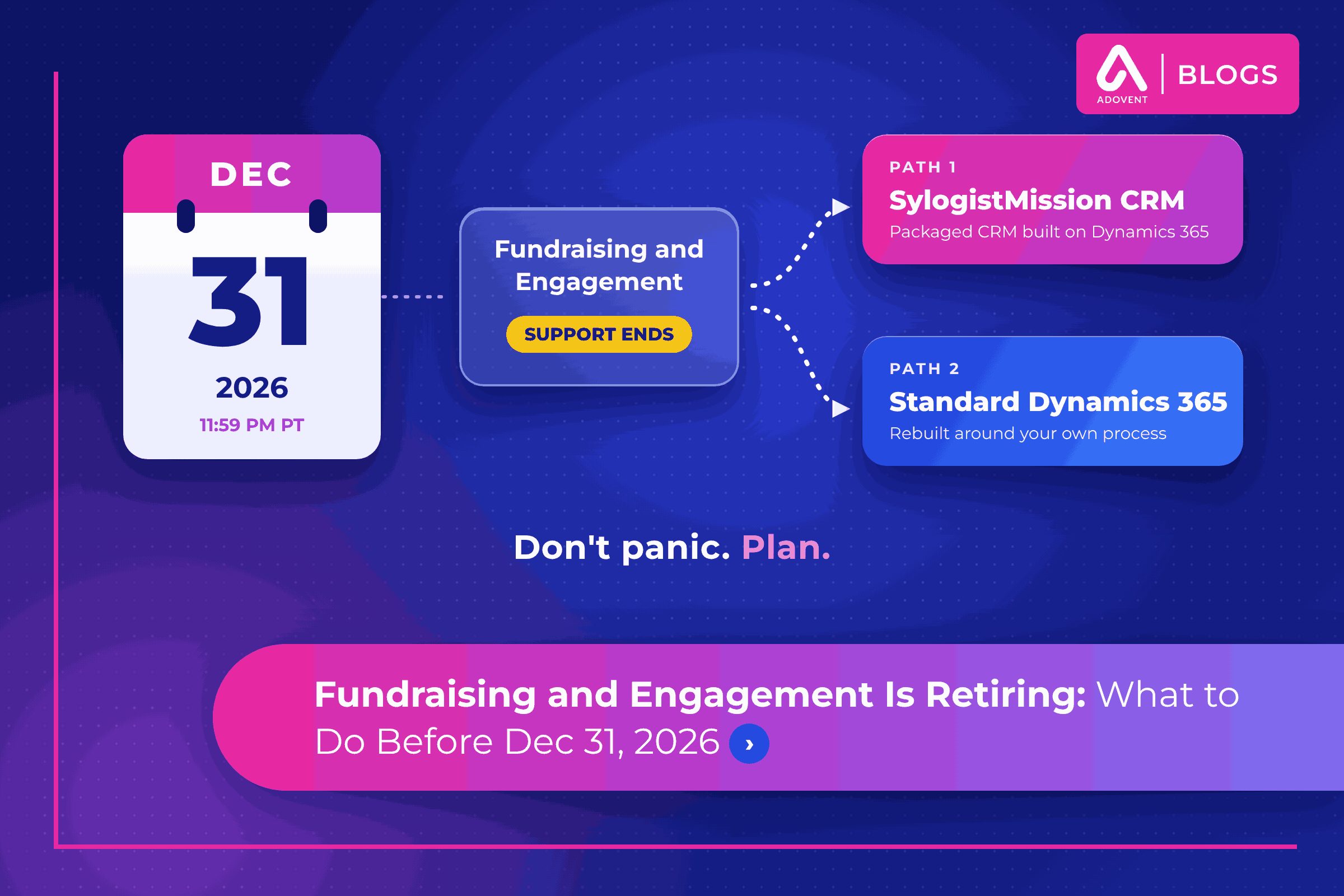
Microsoft Fundraising and Engagement Is Retiring: What Should Nonprofits Do Before December 31, 2026?
The Microsoft Fundraising and Engagement retirement means support for this Dynamics 365 fundraising solution ends at 11:59 PM Pacific Time on December 31, 2026, according to Microsoft Learn.
Quick answer: Don’t panic. Plan. Before December 31, take stock of what the solution does for you, secure and clean your donor data, choose your next path on Microsoft, and write a dated plan for the move. Do not uninstall anything until your data has moved.
Below, we cover what is changing and when, what it means day to day, your options, a five-step plan, and how to protect donor history along the way.
Microsoft Fundraising and Engagement retirement: what is happening, and when?
Fundraising and Engagement is a Microsoft solution that adds donor, gift and campaign tracking to Dynamics 365, Microsoft’s business software platform. Many development teams use it every day for gift entry, pledges, recurring gifts and receipts.
Microsoft is retiring it. Its release notes say support continues through December 31, 2026, critical security issues will be addressed until that date, and no product enhancements will be made. New customers have not been able to license it since January 1, 2025.
Microsoft’s pages do not describe anything beyond the end of support. So plan around that date, not around guesses about what happens next.
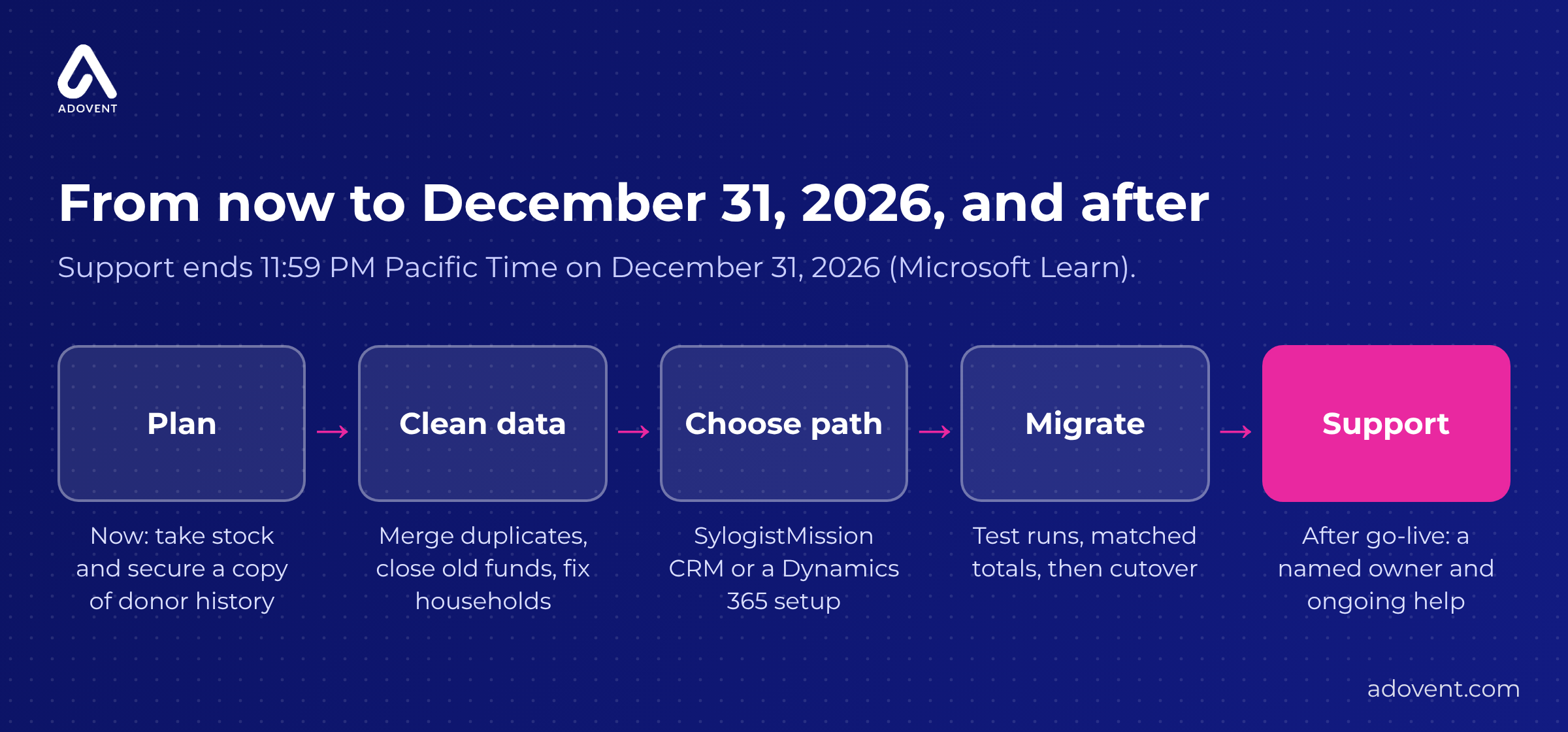
Your path from today to December 31, 2026 and beyon
What does end of support mean for your team day to day?
1. Problems become yours to solve
Online gifts usually flow into the system each night. One morning in February, they stop. The database manager checks the connection, then the error log, then the vendor forum. After support ends, a Microsoft support ticket for Fundraising and Engagement is no longer the safety net, and gifts wait in a queue while thank-you letters slip.
Fix: Name who you would call today if gift entry broke: an internal owner, a partner, or both. Write it down.
2. Today’s workarounds will not get fixed
Since 2024, the development coordinator has written tribute gift acknowledgments by hand, because the letter template never pulled the honoree’s name. Everyone hoped a future update would fix it. With no product enhancements coming, that workaround is permanent unless you move.
Fix: List every workaround your team uses. Each one is a requirement for the next system.
3. Your connections are the weak point
Gifts arrive from an online donation form and a payment processor. Finance pulls a weekly batch into the accounting system. Each of those links, called integrations (automatic links that pass information from one system to another), depends on someone maintaining it.
Fix: Map every connection, what it carries and who owns it. Test each one once a month until you move.
What are your options after Fundraising and Engagement?
The two paths covered here both stay on Microsoft, so your Outlook, Teams and Power BI (Microsoft’s reporting tool) habits carry over.
4. Move to SylogistMission CRM
SylogistMission CRM is a nonprofit fundraising solution from Sylogist. Sylogist says it is built on Dynamics 365 Sales Enterprise and is not dependent on Fundraising and Engagement, and describes an in-app migration for existing Fundraising and Engagement data. It suits a development team that wants donor, gift and campaign features already built.
What to do: Ask to see your five most common tasks, such as a pledge payment or a soft credit, run on a sample of your own records.
5. Rebuild on standard Dynamics 365
Some nonprofits do fundraising in unusual ways. Picture a museum that blends giving circles, event tickets and program enrollments on one record. A Dynamics 365 setup shaped around those rules may fit better, Your donor data is mapped and moved as part of that build, and you will own more of the design and upkeep.
What to do: Compare both paths against your real processes, not a feature list. Our guide to Dynamics 365 for nonprofits explains the platform in plain words.
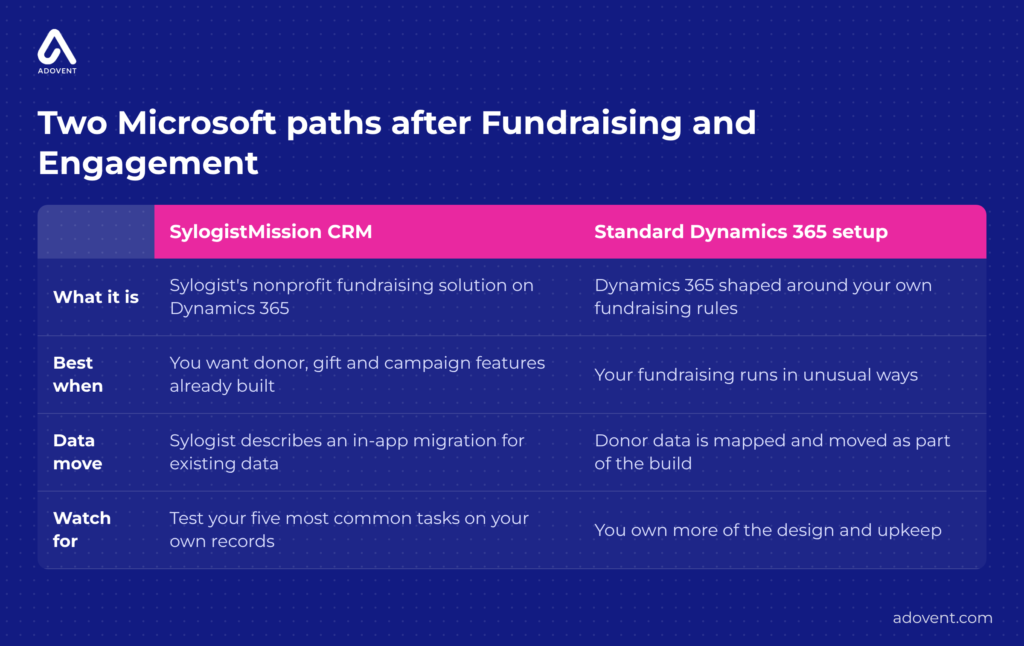
Two Microsoft paths after Fundraising and Engagement.
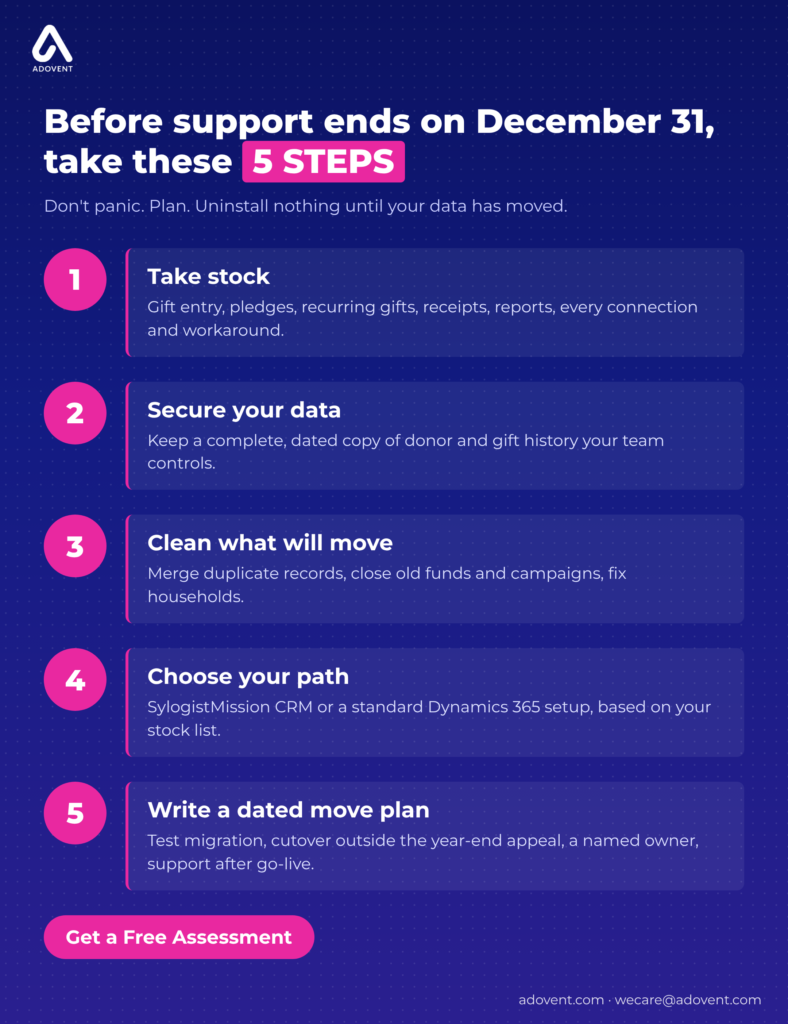
What should you do before December 31, 2026? A 5-step plan
Whether the move itself finishes before December 31 depends on your data, your connections and your team’s time. These five steps belong before that date either way.
- Take stock. List what the solution does for you today: gift entry, pledges, recurring gifts, receipts, reports and every connection. Include the workarounds.
- Secure your data. Keep a complete, dated copy of donor and gift history in a place your team controls, and confirm someone can open it.
- Clean what will move. Merge records that describe the same person, close old funds and campaigns, and fix household records, so partners who give together appear together. Clean data moves with fewer surprises.
- Choose your path. Decide between SylogistMission CRM and a standard Dynamics 365 setup, based on your stock list.
- Write a dated move plan. Set a test migration (a practice move using a copy of your data), a cutover date (the day you switch systems) outside your year-end appeal, a named owner and support after go-live (the day the new system launches).
How do you protect donor history during the move?
6. Know everything “donor history” includes
Gifts are the easy part. A board member’s family foundation gives $25,000 each year, recorded as a soft credit (credit to someone who influenced a gift they did not pay). If soft credits are left out of the move, her giving history drops to zero, and the next ask goes wrong.
Fix: List every type of record: gifts, pledges, soft credits, tributes, receipts, notes and contact preferences. Decide what moves.
7. Match the totals before and after
After a test migration, the gift total for 2025 reads $2,948,300. The old system says $2,961,050. The gap traces to 22 gifts tied to a fund closed years ago. Found in testing, that is a small fix. Found after cutover, it becomes a finance problem.
Fix: Compare totals by year, fund and campaign after every test run. Ask finance to sign off before cutover.
8. Treat recurring gifts as their own project
A nonprofit has 410 monthly donors. Their schedules move to the new system, but the payment connection still points at the old one. If both run in January, some donors may be charged twice. If neither runs, gifts are missed.
Fix: Pick one cutover date for recurring gifts, turn the old schedule off that day, and test with a few staff gifts first.
9. Do not uninstall until the data has moved
Microsoft’s uninstall guidance warns that Fundraising and Engagement data is deleted when the solutions are uninstalled, unless it has been migrated first.
Fix: Make uninstalling the last step of the plan, after finance has signed off on the moved data.
For a fuller list, use our nonprofit CRM data migration checklist.
Where Adovent fits
Adovent is a Sylogist partner and a Microsoft partner focused on nonprofits and associations. We start with the problem, then decide what actually needs to change. For a Fundraising and Engagement move, that means taking stock of how your team works, cleaning and mapping donor data, helping you choose between SylogistMission CRM and a Dynamics 365 setup, running test migrations, and staying after go-live. See how we run implementation and data migration.
FAQs
When does support for Fundraising and Engagement end?
Microsoft Learn states that support ends at 11:59 PM Pacific Time on December 31, 2026. Until then, Microsoft addresses critical security issues but makes no product enhancements.
Can we keep using Fundraising and Engagement after December 31, 2026?
Microsoft’s pages state only that support ends. If your move will finish after that date, treat the gap as a known risk: freeze changes, keep a complete copy of your data and set a firm move date.
Do we have to leave Dynamics 365?
No. SylogistMission CRM runs on Dynamics 365, and a standard Dynamics 365 setup is another option. Staying on Microsoft keeps your Outlook, Teams and Power BI habits in place.
Will our donor history move with us?
It can, if you plan for it. List every record type, clean duplicates first, run a test migration and compare totals with finance before cutover.
Conclusion
The date is fixed. Panic is optional.
Take stock, secure your data and clean what will move.
Choose your Microsoft path with your real processes in hand.
Then move donor history carefully, and uninstall last.
Build your Fundraising and Engagement plan with a team that has done this work. Get a Free Assessment.
Leave a Reply